

For iPhone & iPad
Run your service business from estimate to paid
Create professional estimates, schedule jobs, send invoices, and keep client work organized from your iPhone or iPad.
Built for solo service businesses. No account required. Your data stays on your device.

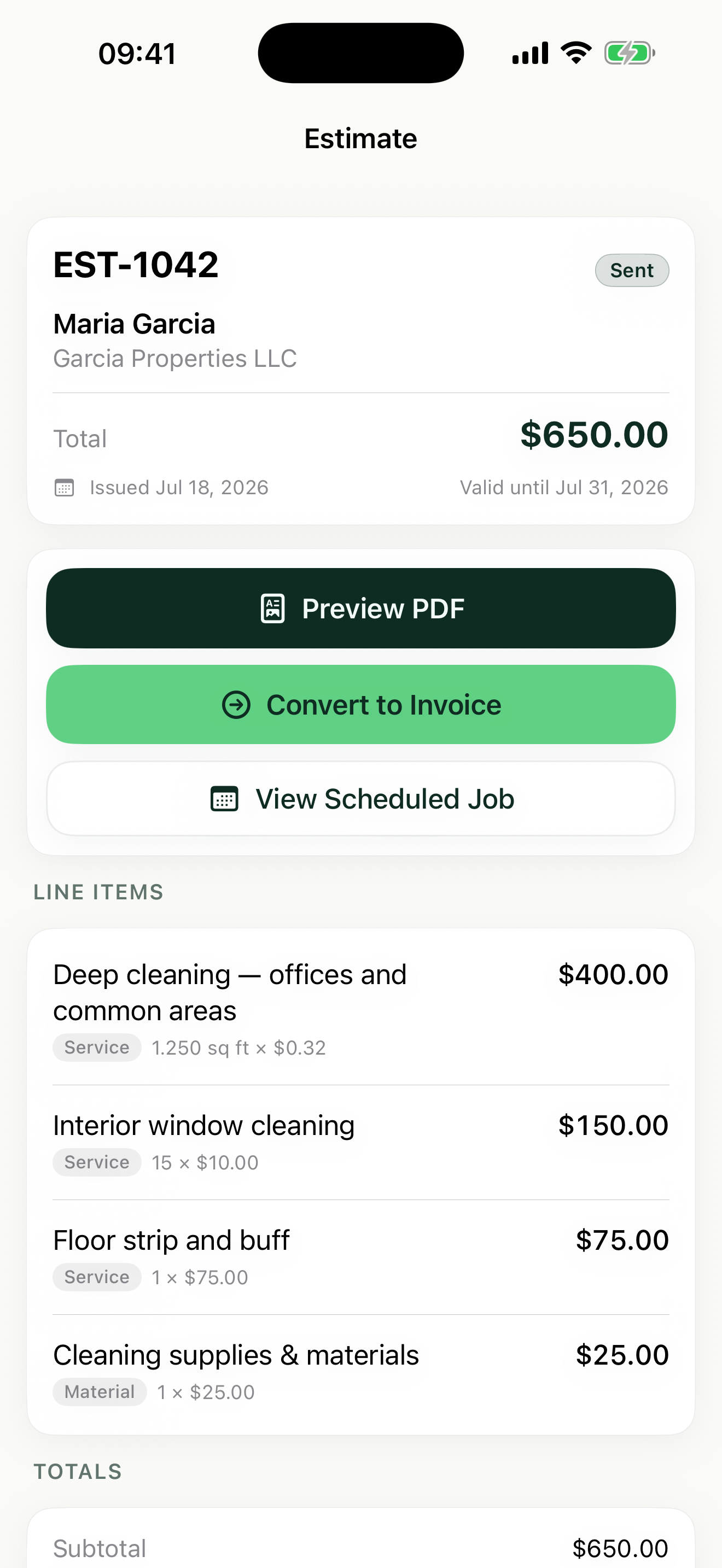
Estimate → Schedule → Invoice → Paid
One workflow, four stages. The same job moves from first quote to final payment without retyping anything.
Stage 1 · Estimate
Create the estimate before you leave the job site
Build a polished estimate with saved line items, unit pricing, per-line tax, and your logo. Share the PDF while you're still standing in the driveway.
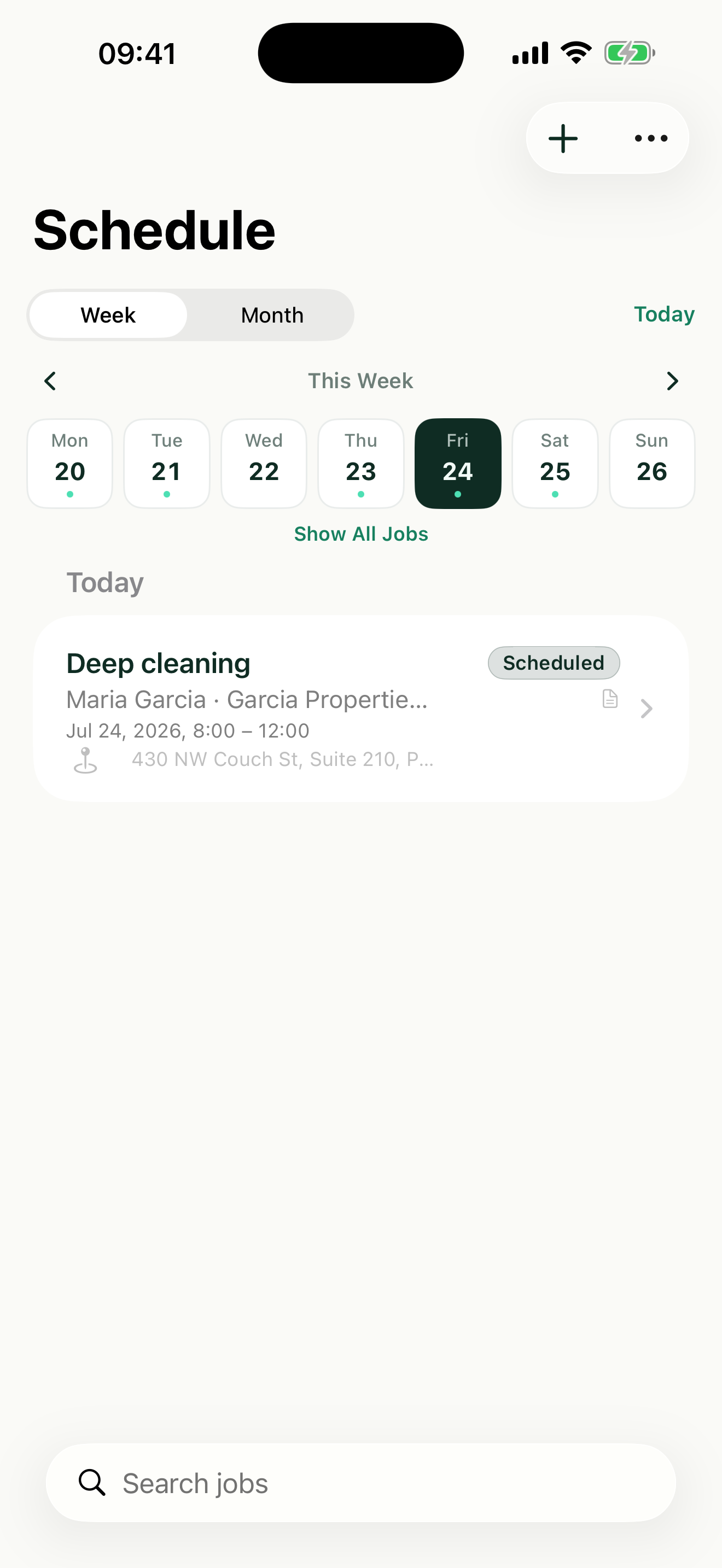
Stage 2 · Schedule
Turn approved work into a job on your calendar
Approved estimates become scheduled jobs in one step. See your week or month at a glance — no paper calendar, no double-booked Fridays.
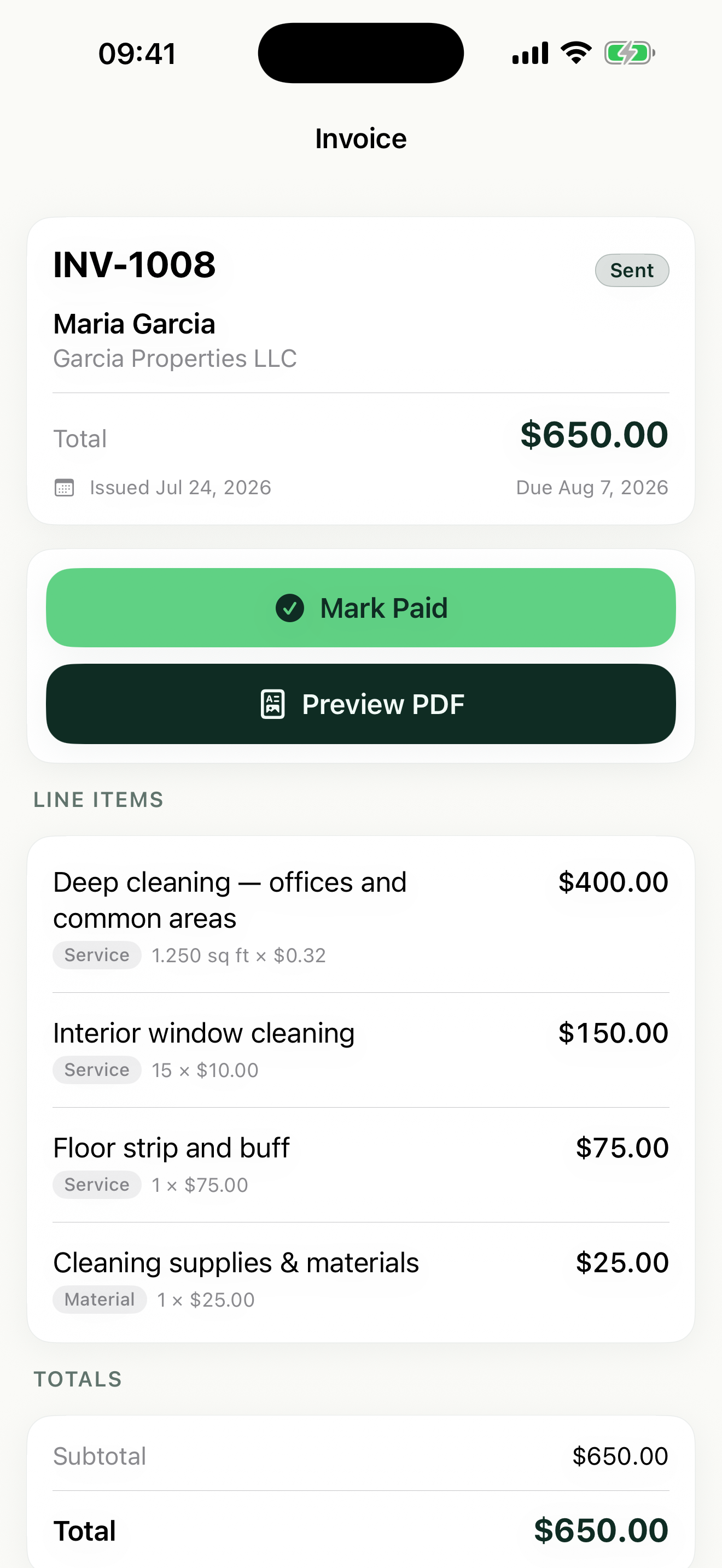
Stage 3 · Invoice
Turn completed work into an invoice
Create the invoice from the estimate, from the job, or on its own. The line items carry over — no retyping, no double entry.
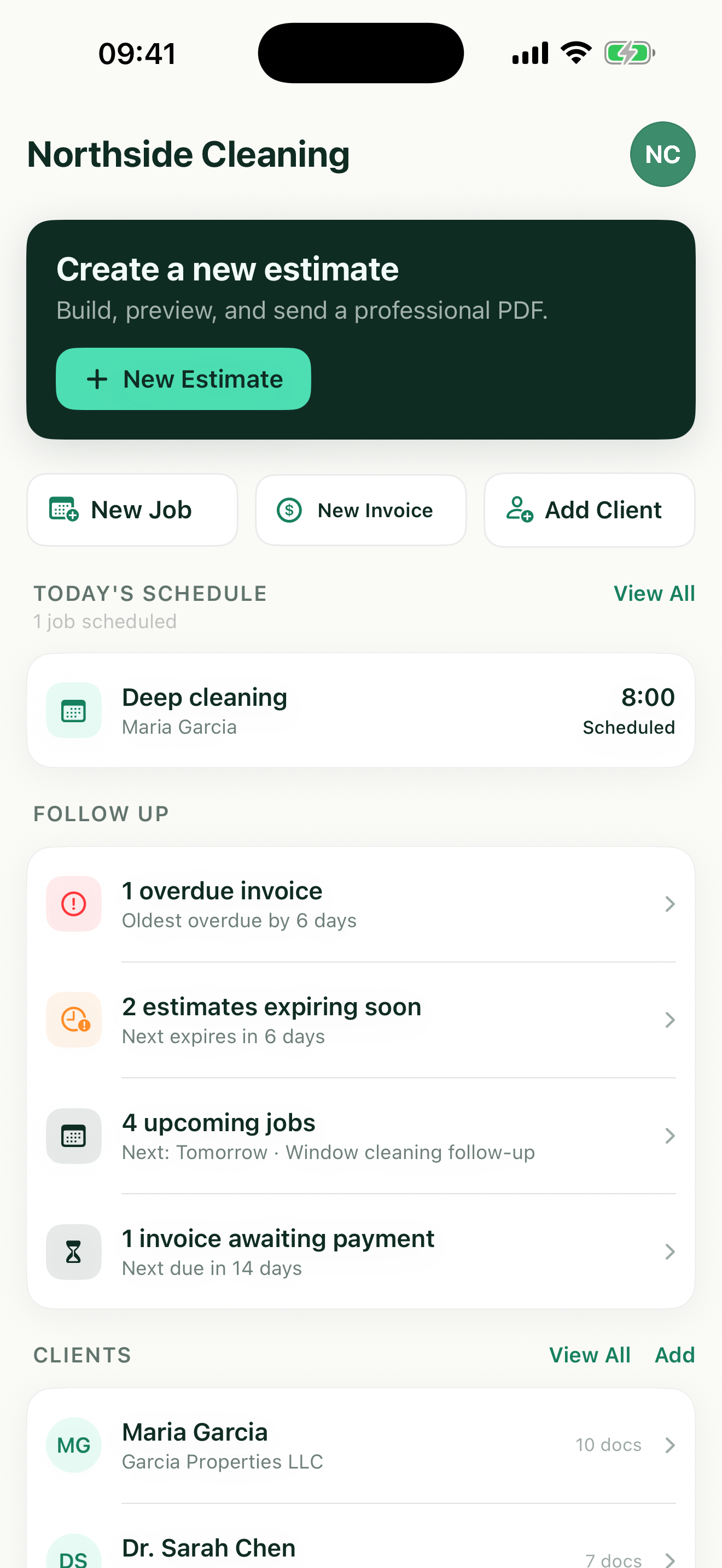
Stage 4 · Paid
Know who owes you money
Mark invoices paid as money comes in. One screen shows what's sent, what's overdue, and what's still awaiting payment.
Still running jobs from notes and spreadsheets?
You know this system. It works — until a quote goes missing, a job gets forgotten, or an invoice never gets made.
Somewhere in your notes
mrs alvarez — deep clean thurs?
~$180… check sq ft first
!! send invoice for the garcia job
Prices, jobs, and reminders scattered across notes.
The spreadsheet
Totals typed by hand. Scheduling lives somewhere else.
Manual totals, stale statuses, no connection to the calendar.
The same job in Revenuor
-
Estimate sent
Alvarez — deep clean · $180.00
-
Job scheduled
Thursday · 9:00 AM
-
Invoice created
Same line items, one tap
-
Marked paid
Nothing left to chase
One record, from first quote to final payment.
More professional than notes and spreadsheets.
Far simpler than full field-service software.
Unit pricing
Price by hour, square foot, each — or whatever fits the job
Cleaners price by the square foot. Window washers price per pane. Handymen bill by the hour. Revenuor's line items speak your trade's language and do the math for you.
- Flat rate
- Each
- Hour
- Square foot
- Square yard
- Linear foot
- Day
- Custom unit
Line items
Totals calculated automatically. Tax applied per line item.
Professional documents
Documents your customers can trust
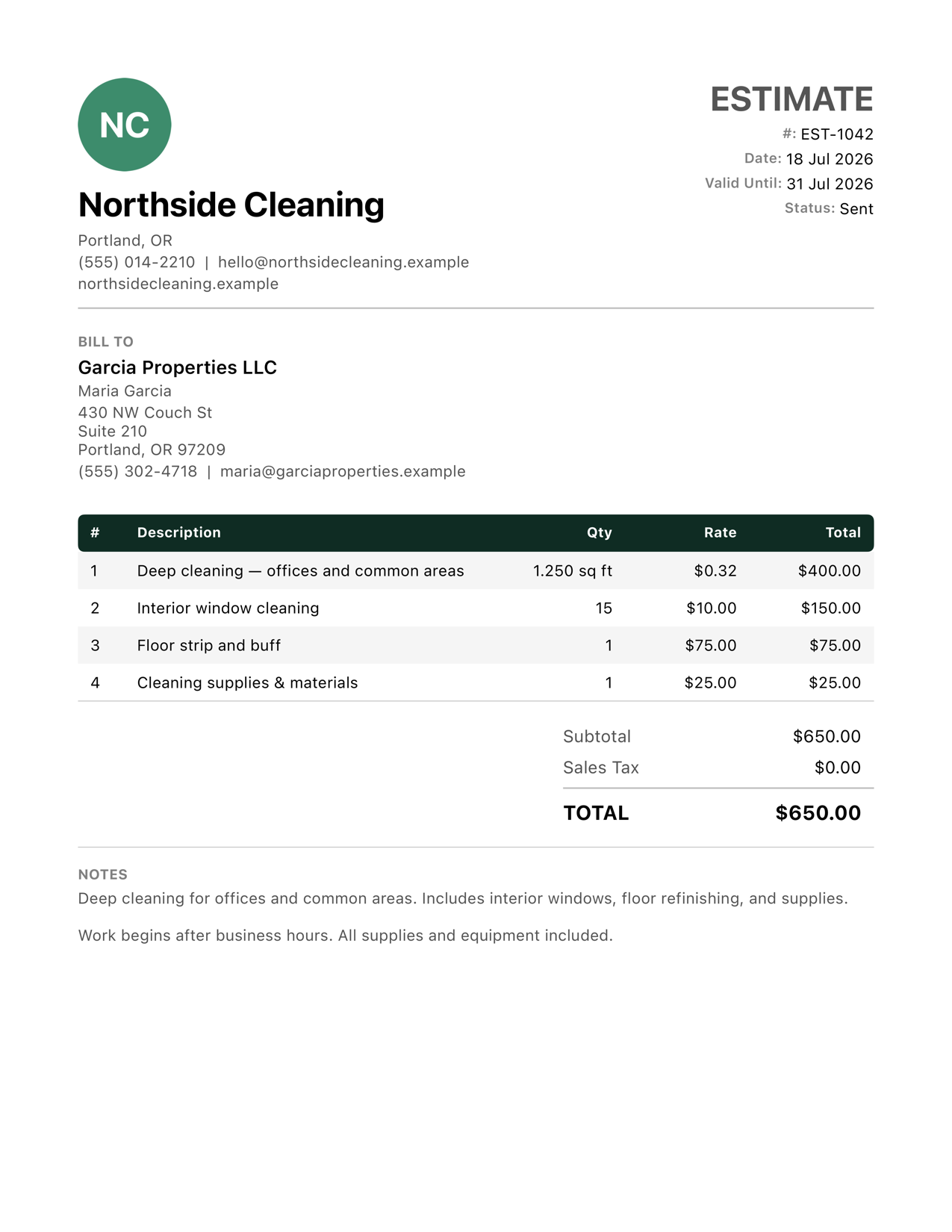
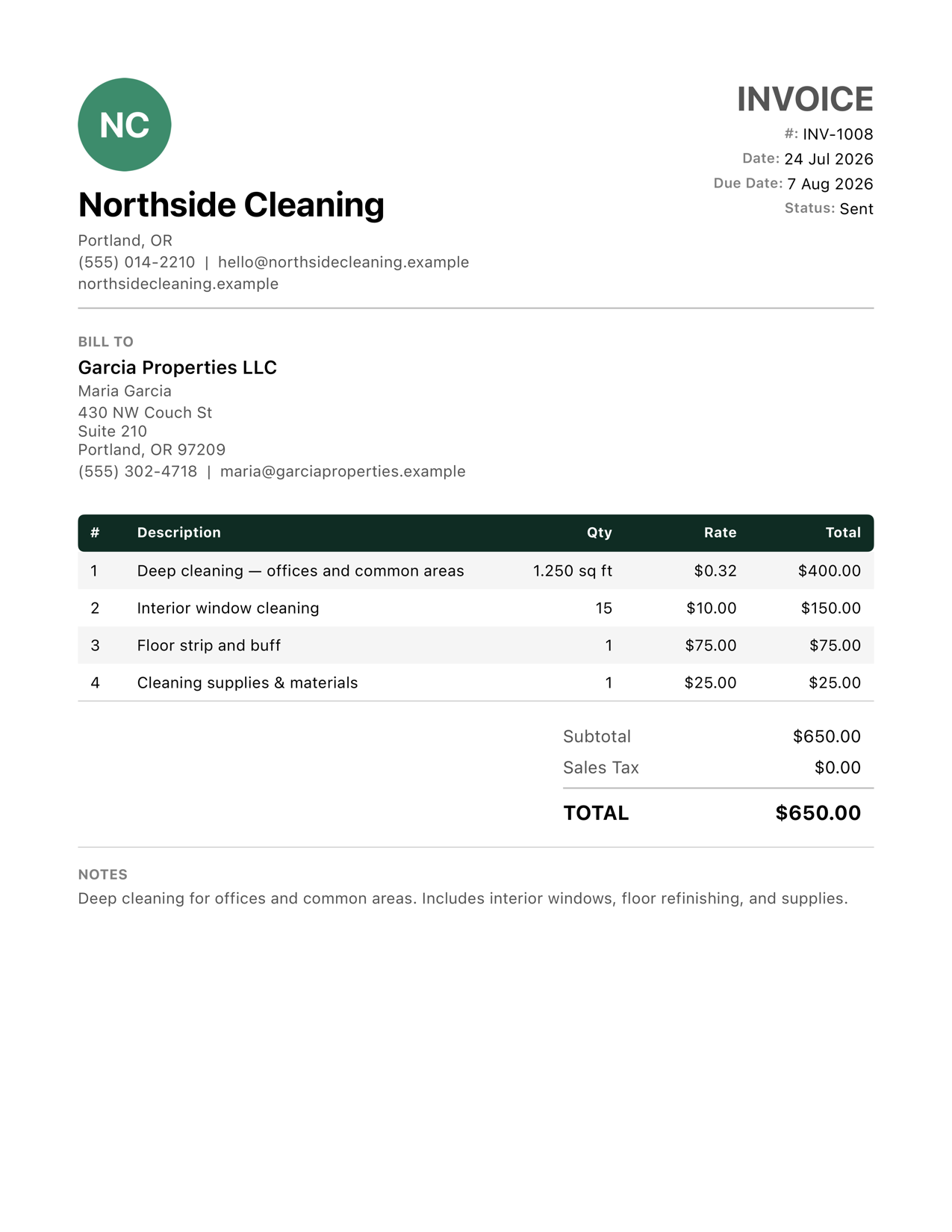
A price typed into a text message is easy to ignore. An itemized PDF with your logo gets taken seriously — and paid faster.
- Your logo and business details on every estimate and invoice
- Client name and billing information laid out clearly
- Unit-aware line items — quantity, rate, and amount aligned
- Per-line-item tax with clean, correct totals
- Preview the PDF, then share it straight from your iPhone or iPad
Follow-up
Open the app and know what needs attention
No digging through lists at the end of a long day. One screen surfaces the money and the work that can't wait.
- Today's jobs
- Upcoming work
- Overdue invoices
- Awaiting payment
- Expiring estimates
- Recent clients
Use iPhone while you work. Use iPad when you want more room.
iPhone, on the job
Quote in the driveway, add the job to your week from the truck, and share the invoice PDF before you drive off.
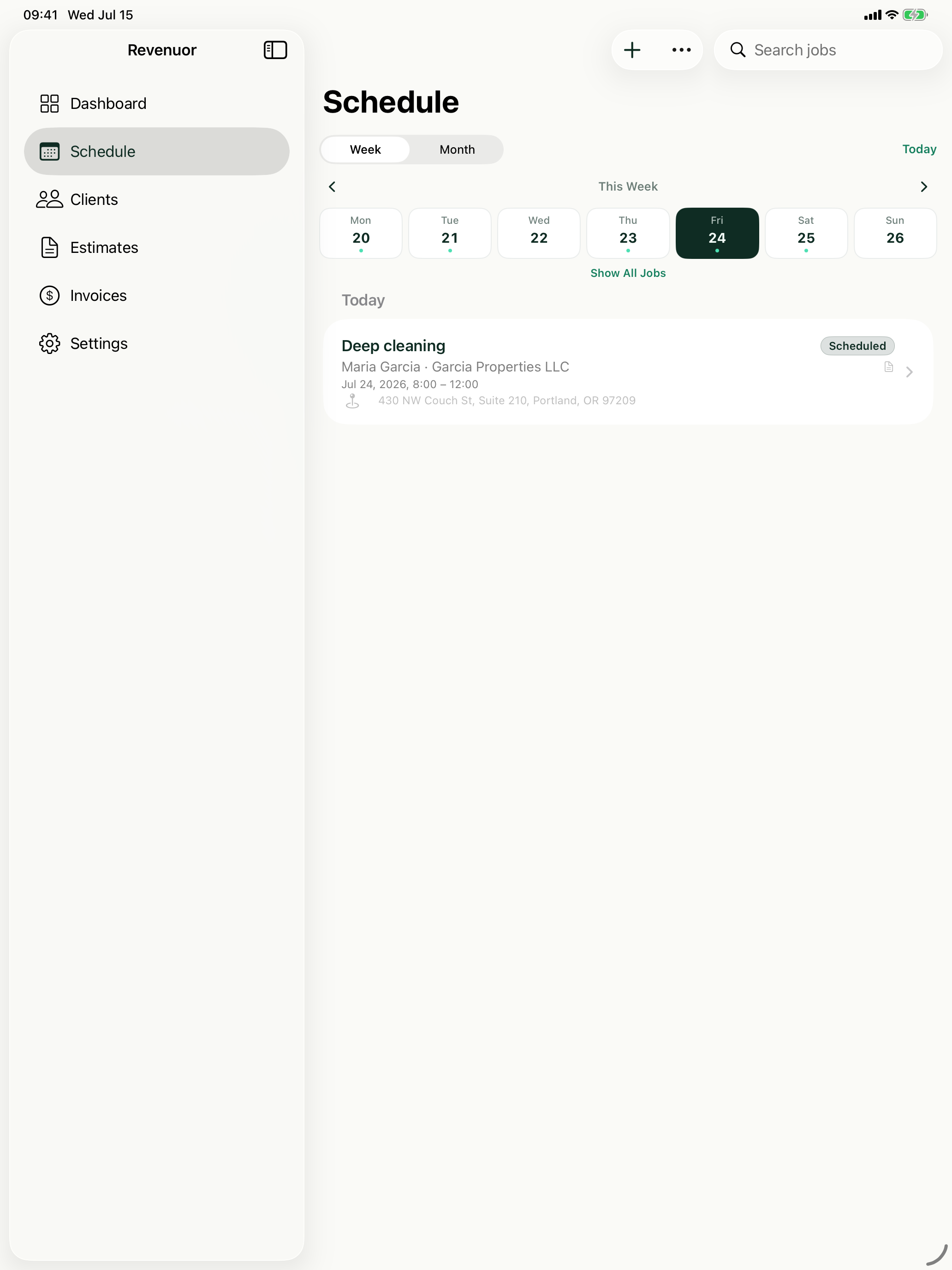
iPad, at the table
A bigger canvas for your schedule, comfortable forms for longer estimates, and a full-size look at every PDF before it goes out.
And the rest of the toolkit
Clients & recent activity
Every client's details and their recent estimates, jobs, and invoices — so you know the history before you knock.
Saved line items
Stop rebuilding the same services every week. Save them once; suggestions appear as you type.
Manual jobs
Repeat customer? Skip the estimate and put the job straight on the calendar.
Invoice-only workflow
Some work just needs a bill. Create an invoice on its own, no estimate or job required.
Estimate expiration
Set an expiry on every quote so old prices don't come back to bite you months later.
Local-first, no account
No sign-up, no login, no server holding your client list. Your data lives on your device.
Built for solo service businesses
Cleaners, handymen, painters, lawn care operators, detailers — if you quote work, do the job, and send the bill, Revenuor fits in your pocket.
Residential Cleaning
Quote deep cleans and move-outs, schedule your week, and invoice from your phone.
Janitorial Services
Estimate office cleaning and floor care, keep job notes per location, and invoice after each service.
Handyman Services
Quote repairs on the spot with labor and materials as separate line items.
Painting
Estimate rooms by square footage, split labor and materials, and invoice after the final walkthrough.
Lawn Care
Quote yards by the square foot, schedule mowing weeks, and invoice from the truck.
Pressure Washing
Price driveways and siding by square footage and send the invoice the same day.
Mobile Detailing
Save detailing packages as line items, schedule stops, and invoice on the spot.
General Contracting
Build clear line-item estimates for small remodels and invoice by phase or at completion.
Your business data stays on your device
Revenuor is local-first. There's no account to create, no password to remember, and no server holding your client list. Download the app and send your first estimate in minutes.
No account required
No sign-up, no login. Open the app and start working.
Stored locally
Clients, estimates, jobs, and invoices live on your iPhone or iPad.
Fast to start
Add your business details once — you're ready to quote the next job.
Frequently asked questions
Is Revenuor available for iPhone and iPad?
Yes. Revenuor is a native app built for both iPhone and iPad. Quote at the job site from your phone, or plan your week on the bigger screen.
Do I need an account?
No. There is no sign-up, no login, and no password. Download the app and create your first estimate right away.
Can I create jobs without estimates?
Yes. Add a job directly to your schedule without an estimate — useful for repeat customers and work you have already agreed on.
Can I create invoices without jobs?
Yes. Revenuor supports invoice-only workflows. Create and send an invoice on its own, without an estimate or a scheduled job behind it.
Can I use my own logo?
Yes. Add your business logo and business details once, and they appear on every estimate and invoice PDF you share.
Can I price by hour, square foot, each, or a custom unit?
Yes. Line items support flat rate, each, hour, square foot, square yard, linear foot, day, and custom units. Revenuor calculates the totals.
Can I share PDFs?
Yes. Every estimate and invoice generates a professional PDF you can preview and share by text, email, or any share sheet option on your device.
Does it support taxes?
Yes. Tax is applied per line item, so taxable and non-taxable items can sit on the same estimate or invoice with correct totals.
Is my data stored locally?
Yes. Revenuor is local-first — your clients, estimates, jobs, and invoices are stored on your device.
The next job starts with a better estimate
Download Revenuor for iPhone and iPad. No account, no setup — just your first professional estimate, ready to send.
Download on the App Store