
Free tool · No sign-up required
Quote Follow-up Email Generator
Create a professional follow-up email or text message after sending an estimate — from the first nudge to a polite close-the-loop.
Everything stays in your browser — names, amounts, and messages are never sent to or stored on our servers. This tool generates text only; it doesn't send anything.
Haven't sent the estimate yet? Use the free estimate generator, or get Revenuor for iPhone & iPad. Clear terms up front make follow-ups easier — write them with the estimate terms generator.
Start from an example setup:
Example values are clearly fictional — replace them with your own details.
Generated text only — this tool doesn't send emails or texts.
Follow up before the estimate goes cold.
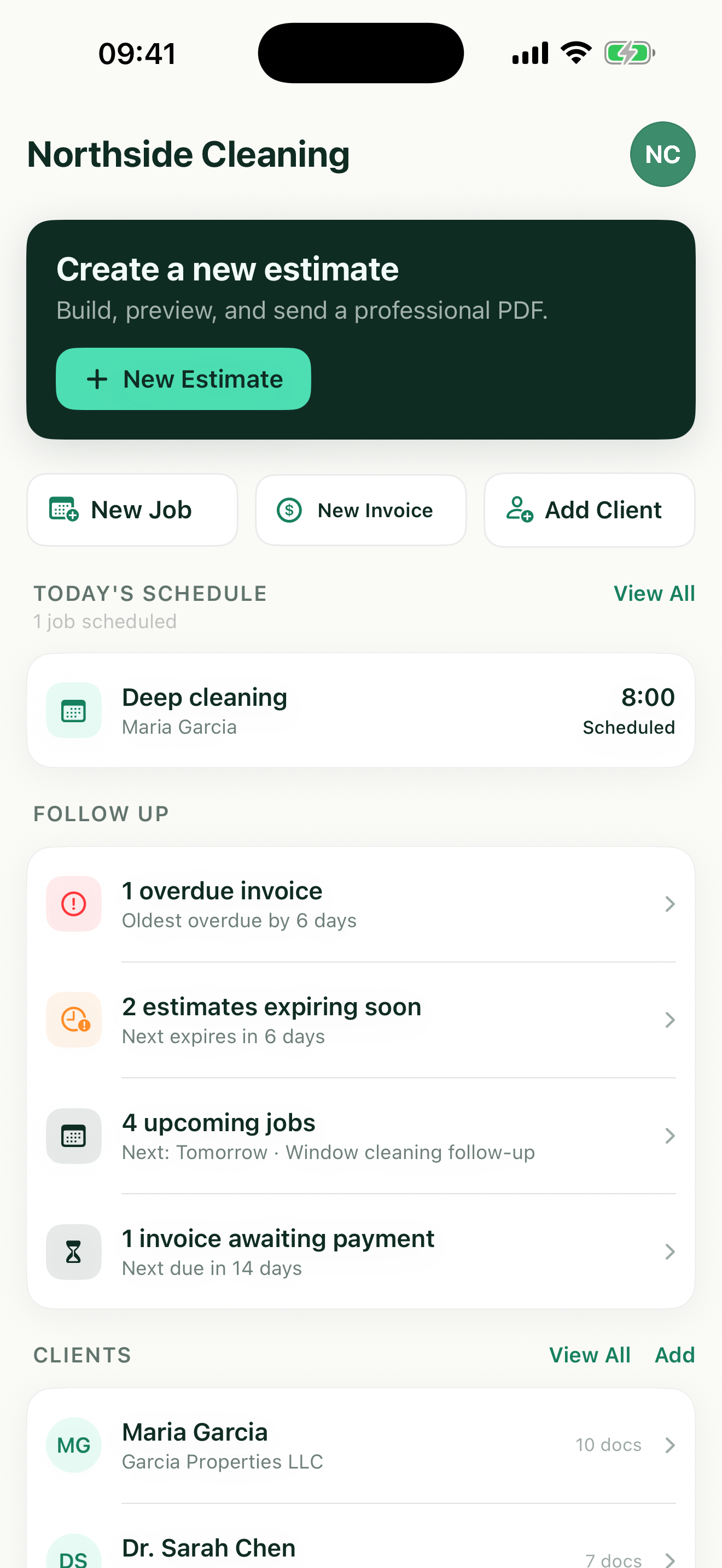
Revenuor keeps your estimates, valid-until dates, and expiring-estimate follow-ups visible on your iPhone or iPad — so you know exactly when to send a message like this. It doesn't send messages for you; it makes sure you never miss the moment.
Download on the App StoreWhen to follow up — starting points, not rules
First follow-up
Commonly 2–3 business days after sending. Light, short, easy to reply to — most estimates die of silence, not rejection.
Second follow-up
Several days later. Slightly more direct: mention availability or the validity window if you have them.
Final follow-up
Around 7–14 days out, depending on the job. Close the loop politely and give permission not to proceed.
Expiration reminder
Shortly before the valid-until date. State the real date — it's information, not pressure.
Urgent repairs deserve faster follow-up; larger projects need more decision time — and if a customer asks you not to follow up, respect it. No timing guarantees a reply.
Following up without being pushy
Short beats thorough
The goal of a follow-up is a reply, not a re-pitch. Reference the estimate, ask one question, offer one next step. A two-sentence message is easier to answer from a phone in a parking lot — which is where your customer probably is.
Facts, not pressure
A real expiration date, a real availability window, a real next step — these move decisions along because they're information. "Act now" and manufactured urgency erode trust; the templates here never generate them.
Price objections are scope conversations
When the number is the problem, the answer is rarely a reflexive discount — it's a conversation about what's included. Offer to walk the line items and adjust scope; that keeps your pricing intact and gives the customer real control.
The final follow-up is a gift, both ways
"If the timing isn't right, that's completely fine — just let me know" closes the file without burning the bridge. Customers remember who made it easy to say no; they call those people back.
Reply speed is a follow-up strategy too
The fastest way to need fewer follow-ups is answering questions quickly while the estimate is fresh. Keeping your estimates, dates, and client details in one place is most of that battle.
Email or text?
Match the customer's channel. Email carries detail and a paper trail; a short text often gets a same-day reply for residential work. Both versions here carry the same facts — pick per customer, not per policy.
Know exactly which estimates need this message
Revenuor keeps every estimate with its valid-until date, and the follow-up screen surfaces the ones about to expire — so the right moment for a message like this never slips past.
- Create estimates with valid-until dates
- See expiring estimates at a glance
- Keep client details together
- Schedule approved work
- Create the invoice after completion
- Follow up on unpaid invoices
Frequently asked questions
Is the quote follow-up generator free?
Yes. The generator is completely free, with no sign-up and no limit on how many messages you create.
Is my message data stored?
No. Names, amounts, and message text stay in your browser for the page session only — nothing is sent to or stored on our servers, and nothing is kept after you leave.
When should I follow up after sending an estimate?
A common starting point is 2–3 business days after sending, sooner for urgent repair work and later for larger projects that need more decision time. There's no universal rule — match the pace of the job.
How many times should I follow up?
Two or three well-spaced messages is typical: a light first nudge, a slightly more direct second, and a polite close-the-loop. If a customer asks you not to follow up, respect it.
Should I follow up by email or text?
Use whatever channel the customer used with you. Email suits detailed estimates and paper trails; a short text often gets faster replies for residential work. The generator produces both.
What should I say in the first follow-up?
Keep it light: reference the estimate, ask if they have questions, and offer to reserve a date. One or two sentences beats a wall of text — the point is making it easy to reply.
How do I follow up without sounding pushy?
Reference facts (the estimate, the date, the validity window) instead of applying pressure, keep it short, and give an easy out. The templates here avoid fake urgency, guilt, and sales filler by design.
What should I say when an estimate is expiring?
State the actual valid-until date and what expiry means practically — that pricing and scheduling need reconfirming afterward. A real date is informative; manufactured urgency is not.
How should I respond to a price objection?
Invite a scope conversation rather than reflexively discounting: offer to walk through the line items and adjust what's included. The objection template does exactly that.
What should I say in a final follow-up?
Close the loop politely and give permission not to proceed: "If the timing isn't right, that's completely fine — just let me know." It preserves the relationship for next time.
Can I edit the generated message?
Yes — the output is a plain editable text box. Your edits stay until you press Regenerate or change a generation setting.
Does this tool send the message?
No. It only generates text for you to copy into your own email or messaging app. Nothing is sent, scheduled, or tracked.
Can Revenuor send follow-up emails automatically?
No. Revenuor doesn't send automated messages — it keeps your estimates, valid-until dates, and expiring-estimate follow-ups visible on your iPhone or iPad, so you know exactly when a message like this is worth sending.
Can I use this for quotes and proposals?
Yes. Whether you call it an estimate, quote, bid, or proposal, the follow-up structure is the same — swap the wording in the editable output if your customers use a different term.