
Free tool · No sign-up required
Free Estimate Generator
Build a professional, itemized estimate right here in your browser, then print it or save it as a PDF. Unit pricing, per-line tax, and a clean layout your customer will take seriously.
Everything stays in your browser — nothing you type is sent to or stored on our servers.
Prefer estimates on your phone? Get Revenuor for iPhone & iPad. Billing after the work? Try the free invoice generator.
Pre-filled with example data — edit everything below.
Jump to preview ↓Preview
In the print dialog, choose "Save as PDF" as the destination to download the file.
ESTIMATE
- Issued:
- Valid until:
Bill to
| Description | Qty | Rate | Total |
|---|---|---|---|
|
Taxable |
Notes
Terms
Created your estimate?
Revenuor keeps your clients, saved services, jobs, invoices, and follow-up together on iPhone and iPad — so the next estimate takes seconds, not minutes. And after the job, the job profit calculator shows what it really earned.
Download on the App StoreHow to use the estimate generator
Add your details
Enter your business info and the customer you're quoting. If they're a company, the company name leads on the document.
Build the line items
Describe each part of the job with a quantity, unit, and rate — square feet, hours, per-item, or a flat price.
Set tax and dates
Add your tax rate, mark which lines are taxable, and give the estimate a validity date so old prices expire.
Print or save the PDF
Check the live preview, then use "Print / Save as PDF" — choose "Save as PDF" in the dialog to download it.
What a professional estimate should include
- Your business name, contact details, and logo
- The customer's name — company first if you're quoting a business
- A clear scope: what's included, line by line
- Quantities with real units, rates, and line totals
- Tax, applied only where it belongs
- A validity date so the price doesn't float forever
- Notes or terms covering assumptions and exclusions
- One clear total the customer can say yes to
Estimate vs. quote — what's the difference?
In everyday service work the words are used interchangeably, but there's a useful distinction: an estimate is your best professional approximation of the cost, while a quote is usually a fixed price you commit to. Whichever word you use, put it in writing — a documented price with a scope and a validity date protects both you and the customer.
How long should an estimate stay valid?
Most service businesses use 14 to 30 days. Material prices move, your schedule fills up, and a price from last season shouldn't bind you today. Set the "valid until" date on every estimate and let it do the awkward work of expiring old prices for you. And when a sent estimate goes quiet, the quote follow-up email generator writes the nudge. Pair the date with clear rules for deposits, changes, and cancellations from the estimate terms & conditions generator, and split larger totals into a deposit and milestones with the payment schedule generator.
Pricing by hour, each, square foot, or flat rate
Unit pricing makes estimates easier to defend. "Exterior wash — 2,500 sq ft × $0.12" answers the how-did-you-get-this-number question before it's asked, while a bare "$300" invites negotiation. Use the unit your trade actually prices in: square feet for cleaning and pressure washing, per-window for window cleaning, hours for handyman work, flat rates for packaged services. Not sure what the number should be? Work it out with the service price calculator.
A note on taxes
Sales tax rules differ by state, province, and country — labor and materials are often treated differently. This generator applies your tax rate only to lines you mark taxable, but it can't know your local rules. When in doubt, check with a local tax professional.
After the estimate is accepted
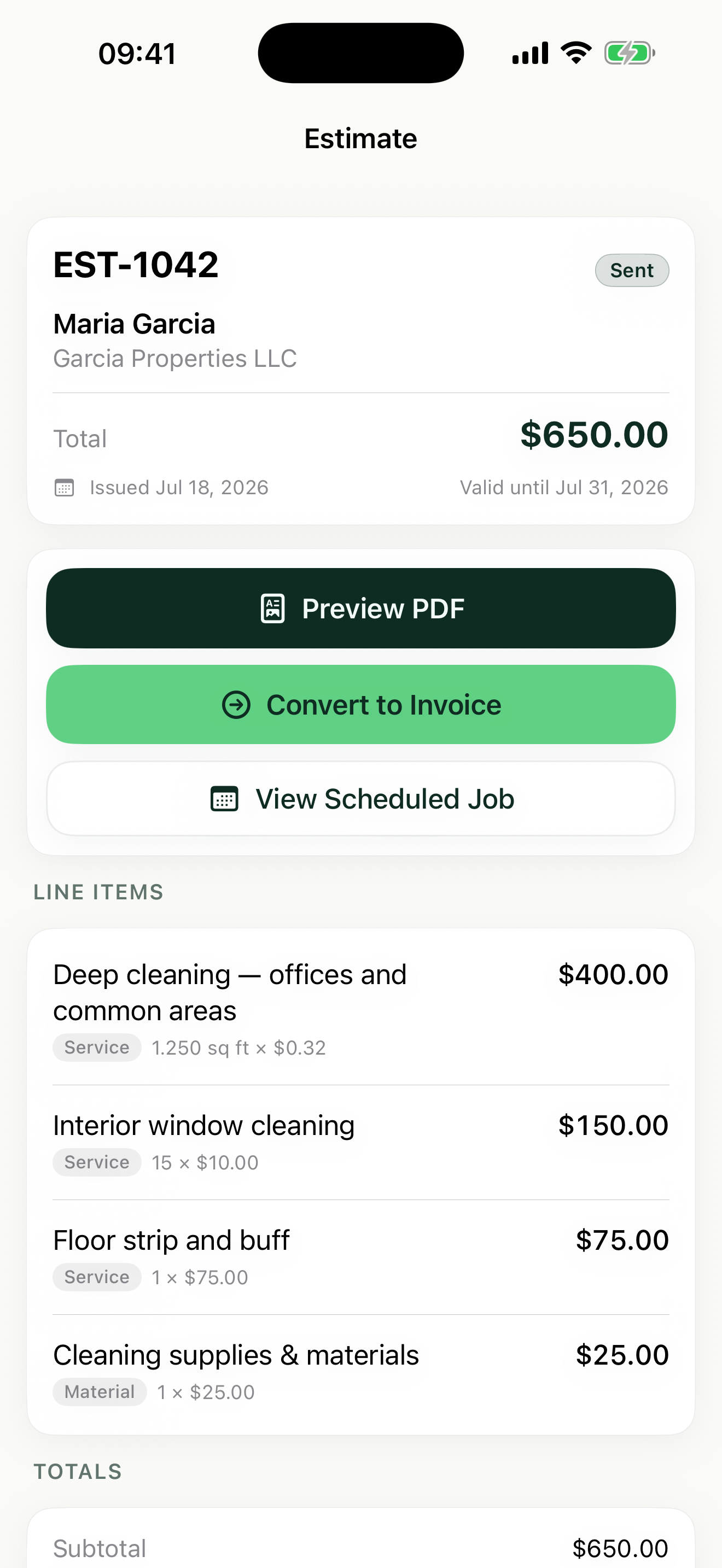
An accepted estimate becomes real work: a job to schedule, and eventually an invoice to send — you can create that one right now with the free invoice generator. That handoff is where paper systems break down, and it's exactly what the Revenuor app handles: the estimate becomes the job, the job becomes the invoice, and the follow-up screen tracks it until it's paid.
Create estimates like this anytime from your iPhone or iPad
The generator is great for one estimate. Revenuor is built for all of them — with your clients, services, and history already in your pocket.
- Reuse saved line items
- Schedule approved work
- Turn jobs into invoices
- Keep client details
- Preview and share PDFs
- Track sent and paid work
Frequently asked questions
Is the estimate generator free?
Yes. The generator is completely free to use, with no sign-up, no watermark, and no limit on how many estimates you create.
Do I need an account?
No. There is no account, no email capture, and no login. Open the page, fill in your estimate, and print or save it.
Is my data stored?
No. Everything you type stays in your browser. Nothing is sent to or stored on our servers, and the data is gone when you leave the page.
Can I download a PDF?
Yes — through your browser's print dialog. Click "Print / Save as PDF" and choose "Save as PDF" as the destination to download the file.
Can I add sales tax?
Yes. Set your tax rate once, then mark each line item as taxable or non-taxable. Tax is calculated only on taxable lines.
Can I price by square foot, hour, each, or flat rate?
Yes. Each line item supports flat rate, each, hour, square foot, square yard, linear foot, day, or a custom unit you define.
Is an estimate legally binding?
Generally an estimate is a good-faith price proposal, not a binding contract — but rules vary by location and by what the document says. Consult a professional for legal questions.
Can I use this on mobile?
Yes. The generator works on phones and tablets. For creating estimates anywhere, the Revenuor app for iPhone and iPad keeps your clients and saved line items with you.