
Free tool · No sign-up required
Service Price Calculator
Calculate what to charge by adding labor, materials, overhead, and profit — with the recommended rate per square foot, hour, or whatever unit your trade prices in.
Everything stays in your browser — nothing you enter is sent to or stored on our servers.
Ready to quote it? Use the free estimate generator, or get Revenuor for iPhone & iPad.
Start from an example setup:
Example inputs are for demonstration. Use your actual costs. Pricing cleaning, washing, mowing, or painting jobs? The house cleaning, pressure washing, lawn care, and painting calculators estimate the labor hours too — and the hourly rate calculator works out what your hour needs to earn, and the job profit calculator shows what a finished job really returned. And the profit margin calculator converts margin and markup instantly.
Recommended price (before tax)
per
- Total job cost
- Profit
- Profit margin
- Markup
- Customer total
Cost breakdown
- Labor
- Payroll burden
- Materials (incl. waste)
- Travel & other costs
- Overhead
- Total cost
Turn this price into a professional estimate
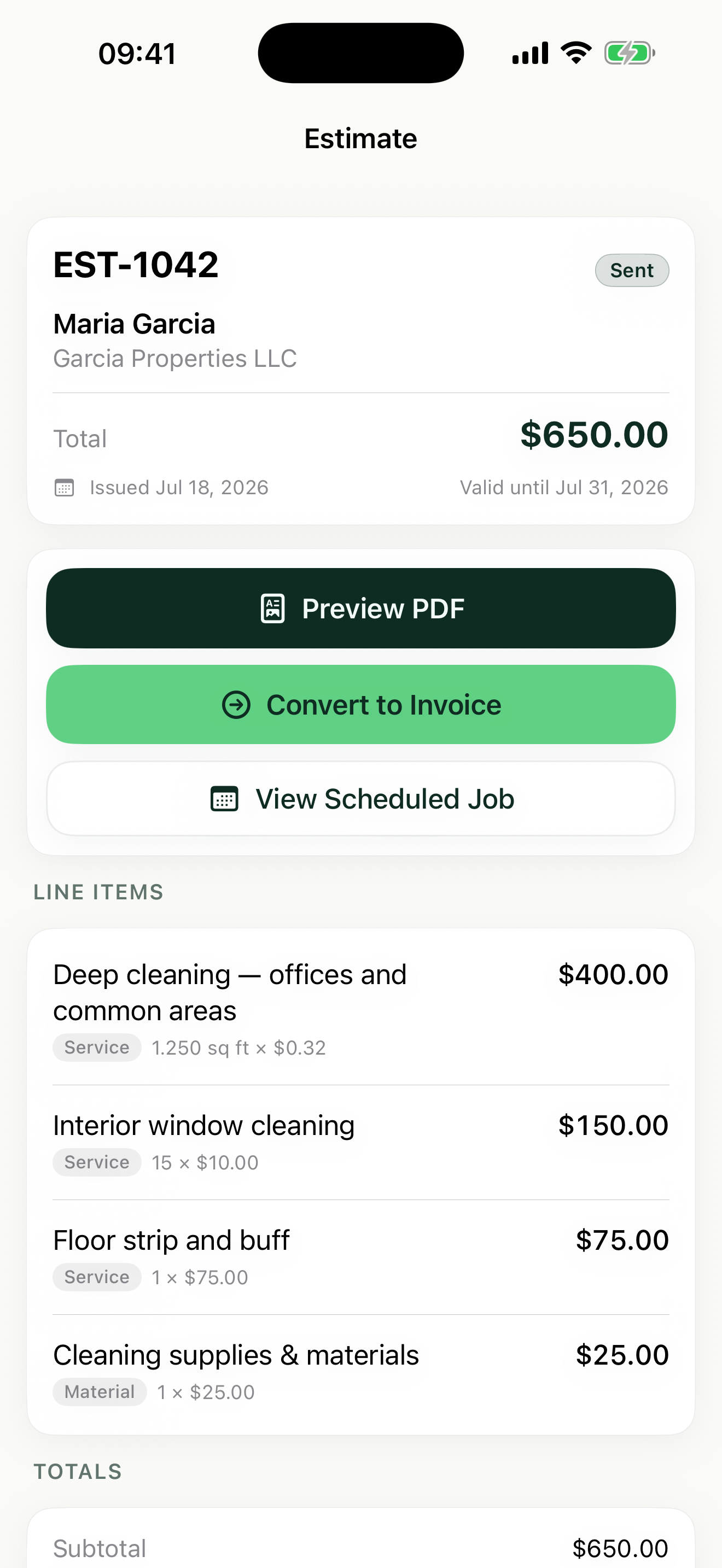
Put it on a PDF with the free estimate generator — or save this service with its unit and rate in Revenuor and reuse it in estimates and invoices from your iPhone or iPad.
Download on the App StoreMargin vs. markup — don't mix them up
Margin
"What percentage of the final selling price is profit?" A 25% margin means a quarter of what the customer pays is yours after costs.
Markup
"What percentage is added on top of cost?" A 25% markup means you take your cost and add a quarter of it.
The same $100 cost, two different prices:
- 25% markup → $125 price → a 20% margin
- 25% margin → $133.33 price → a 33.33% markup
That gap is why businesses that "add 25%" often earn less than they think. The calculator always shows both numbers, whichever method you price by.
How to price a service job
Start with true labor cost
Labor is workers × hours × what the hour costs you — not what you charge. If you pay yourself, include your own time at a real wage. Then add payroll burden: the taxes, insurance, and benefits that make an employee cost 10–20% more than their wage.
Materials, plus the waste you'll actually have
Paint gets spilled, chemicals get overused, a board gets cut wrong. A small waste percentage on materials keeps a normal job from quietly eating your profit.
Overhead: the costs no single customer sees
Rent, insurance, software, the truck, your phone — direct costs never cover them, so every job must. Assign a flat amount per job, add a percentage on top of direct costs, or both. If you skip overhead, you're subsidizing customers out of your own pocket.
Profit is a line item, not what's left over
Covering costs isn't a business — it's a break-even hobby. Decide the margin you need and price for it deliberately. Underpricing usually isn't generosity; it's a missing cost the pricing never accounted for.
Flat rate, hourly, or by the square foot?
Use the unit your trade prices in: square feet for cleaning and pressure washing, hours for handyman and repair work, per-item for windows and installs, flat rate for well-defined packages. Unit pricing also makes your number easier to defend — "2,500 sq ft × $0.16" reads like measurement, not guesswork. The service call fee calculator prices the visit itself — travel, diagnostics, and call-out policies.
A note on taxes
Price your work before tax and add sales tax only where your local rules require it. Rules differ by state, province, and country — check with a local tax professional.
The same math, whatever your trade
Cleaning
Labor hours + supplies + overhead, priced per square foot or as a flat rate per visit.
Painting
Crew hours + paint and materials with waste, priced per square foot of wall.
Lawn care
Mow time + fuel and equipment share, priced per square foot or per visit.
Pressure washing
Hours + chemicals + equipment wear, priced per square foot of surface.
Handyman
Your hours + parts with contingency, priced hourly or per task.
Mobile detailing
Detail time + products, priced as flat-rate packages with add-ons.
Price it once. Reuse it on every estimate.
In Revenuor you save the service with its unit and rate — then it's one tap on every future estimate and invoice, from your iPhone or iPad.
- Save services with unit and rate
- Reuse them in estimates
- Schedule the job
- Convert work into invoices
- Per-line-item tax
- Track payment on follow-up
Frequently asked questions
Is the service price calculator free?
Yes. The calculator is completely free, with no sign-up and no limit on how many prices you work out.
Do I need an account?
No. There is no account, no email capture, and no login. Open the page and start calculating.
Is my pricing data stored?
No. Everything you enter stays in your browser. Nothing is sent to or stored on our servers, and the numbers are gone when you leave the page.
What is the difference between margin and markup?
Margin is the share of the final price that is profit; markup is the percentage added on top of cost. A $100 cost with a 25% markup sells for $125 (a 20% margin), while a 25% margin on the same cost means charging $133.33.
How do I calculate labor cost?
Multiply workers × hours per worker × hourly labor cost, then add payroll burden — the extra percentage for taxes, insurance, and benefits — so labor reflects what workers really cost you.
How should I include overhead?
Either assign a fixed dollar amount of overhead to the job, add a percentage on top of direct costs, or both. Rent, insurance, software, and vehicle costs all need to be recovered by the jobs you do.
Can I price by square foot or hour?
Yes. Choose a pricing unit — square foot, square yard, linear foot, hour, each, day, flat rate, or a custom unit — enter the quantity, and the calculator shows the recommended rate per unit.
Should sales tax be included?
Price your work before tax, then add tax where your local rules require it. The calculator shows the pre-tax price and the tax-inclusive customer total separately. Check your local rules with a tax professional.
What profit margin should I use?
There is no universal number — it depends on your trade, market, and how much unbilled time your business carries. Many solo service businesses target somewhere between 20% and 50%, but your own costs and demand should drive the choice.
Can I use this for cleaning, painting, lawn care, or handyman work?
Yes. The structure — labor, materials, overhead, profit, unit pricing — is the same across service trades. Presets are included as editable starting points for common services.
Can I turn the result into an estimate?
Yes. Use our free estimate generator to put the price on a professional PDF, or save the service with its unit and rate in the Revenuor app for iPhone and iPad and reuse it in every estimate and invoice.