
Free tool · No sign-up required
Break-even Calculator
Find how many jobs, hours, or dollars of revenue you need to cover your costs — and how many more to hit a target profit.
Everything stays in your browser — nothing you enter is sent to or stored on our servers.
Pricing the jobs themselves? Use the service price calculator, or get Revenuor for iPhone & iPad.
Start from an example setup:
Examples are for demonstration. Use your actual prices, variable costs, fixed costs, and volume.
This service does not contribute toward fixed costs — variable cost is equal to or higher than the selling price. No volume of work reaches break-even at these numbers.
- Contribution margin
- Fixed costs
- Revenue for target profit
Your month at this volume
- Expected variable costs
- Total contribution
- Fixed costs
- Expected profit / loss
- Margin of safety
Simple sensitivity check
How the whole-job break-even moves with small changes. Not a forecast.
| Scenario | Break-even jobs |
|---|---|
Know the number. Then go earn it.
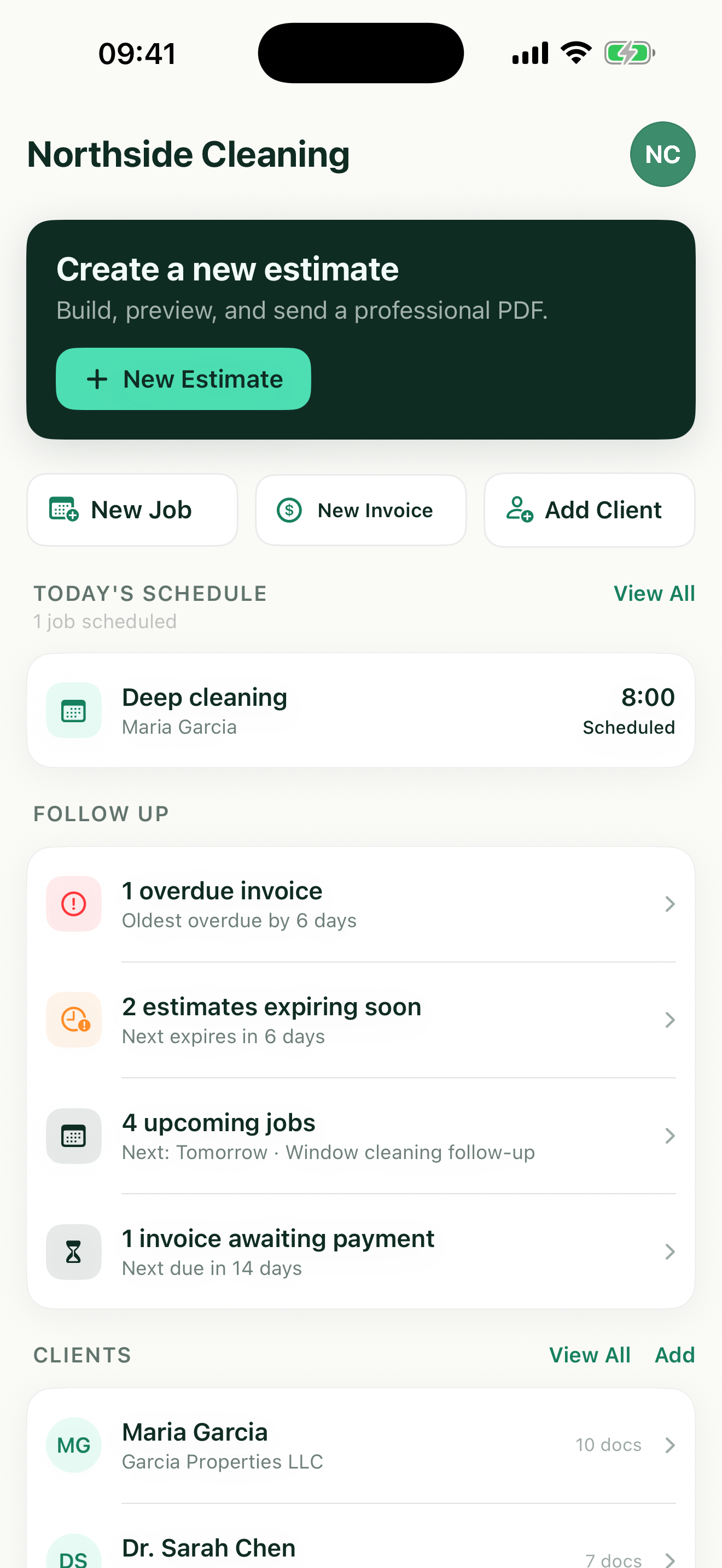
Revenuor turns those jobs into estimates, scheduled work, invoices, and paid revenue on your iPhone or iPad — and the job profit calculator checks each one after the work.
Download on the App StoreContribution margin: the number break-even runs on
Contribution margin is what remains from each job after its variable costs — the only money that chips away at fixed costs.
- Job price
- $300
- Variable cost
- −$120
- Contribution
- $180 (60%)
With $5,000/month in fixed costs: $5,000 ÷ $180 = 27.78 → 28 full jobs to break even. Partial jobs don't pay bills, so break-even always rounds up.
Contribution margin is not the same as profit margin — fixed costs are covered only after contribution accumulates. And keep collected sales tax out of the price: it passes through and isn't operating revenue.
Fixed vs. variable — classify by behavior
Fixed costs
Usually continue even if no jobs are completed.
- Rent and storage
- Insurance
- Software and phone
- Vehicle payments
- Admin and base salaries
- Licenses
Variable costs
Rise with each job you take.
- Job labor
- Materials
- Fuel
- Payment fees
- Subcontractors
- Disposal
Some costs are semi-variable — a phone plan with overages, fuel with a base commute. Use the classification that best matches how your business actually behaves.
Reading your break-even number
Revenue alone can lie to you
A busy month with weak contribution can lose money while a quieter month with strong contribution earns. Break-even counts contribution, not activity — which is why raising the price usually moves the number further than working harder does.
Target profit is a plan, not a leftover
Break-even is the floor. Add the profit you actually want to fixed costs and the calculator shows the jobs and revenue that plan requires. Keep your base compensation in fixed costs — paying yourself isn't profit.
Margin of safety is your cushion
Expected revenue minus break-even revenue, in dollars and percent. A thin margin of safety means one slow week or one lost recurring customer puts the month underwater — worth knowing before it happens. The service call fee calculator prices the visit itself — travel, diagnostics, and call-out policies.
Fixed costs are almost always underestimated
Annual license renewals, insurance that bills twice a year, software charged annually, the accountant in January — spread them monthly or your break-even is fiction. When in doubt, list them in the detailed breakdown instead of guessing a total.
Monthly or annual — pick one and stay consistent
Enter fixed costs and target profit for the same period your job counts describe. The calculator shows the other period's break-even revenue automatically so you can sanity-check both views.
A note on the numbers
This is a planning aid, not accounting advice. Prices should be pre-tax, and classification of semi-variable costs is a judgment call your accountant can help with.
The same math, whatever your trade
House cleaner
Recurring visits with steady contribution — break-even is a client count, and every regular past it is profit.
Painter
Fewer, larger jobs: one project can be a week of contribution, so break-even is about jobs per month, not per day.
Lawn-care operator
Small tickets in volume — the monthly view shows whether the route's stop count clears fixed costs.
Pressure-washing operator
Equipment-heavy fixed costs raise the bar; strong per-job contribution is what clears it.
Handyman
Hourly work: break-even billable hours per month is the honest capacity question.
Mobile detailer
Product and vehicle overhead against modest tickets — margin of safety tells you how much slack the calendar has.
Know the number. Then go earn it.
Break-even tells you how many jobs the month needs. Revenuor keeps each one moving — estimate, scheduled job, invoice, paid — on your iPhone or iPad.
- Create estimates
- Schedule the jobs
- Invoice completed work
- Mark it paid
- Follow up on unpaid invoices
- Client and job history together
Frequently asked questions
Is the break-even calculator free?
Yes. The calculator is completely free, with no sign-up and no limit on how often you use it.
Is my data stored?
No. Everything you enter — prices, costs, volumes — stays in your browser. Nothing is sent to or stored on our servers, and the numbers are gone when you leave the page.
What is break-even?
The point where accumulated contribution from your jobs exactly covers your fixed costs — zero profit, zero loss. Every job past it contributes to profit; every job short of it leaves fixed costs unpaid.
What is contribution margin?
What remains from each job after its variable costs. A $300 job with $120 of variable cost contributes $180 — a 60% contribution margin. That $180 is what chips away at fixed costs, not the $300.
What is the difference between fixed and variable costs?
Fixed costs continue even with zero jobs — rent, insurance, software, vehicle payments. Variable costs rise with each job — labor, materials, fuel, card fees. Some costs are semi-variable; classify them by how your business actually behaves.
How do I calculate break-even jobs?
Fixed costs divided by contribution per job, rounded up. $5,000 of fixed costs ÷ $180 contribution = 27.78, so 28 full jobs — partial jobs don't pay bills.
How do I calculate break-even revenue?
Fixed costs divided by the contribution margin percentage. $4,500 ÷ 56.82% ≈ $7,920 of revenue before the month contributes a dollar of profit.
What if variable cost is higher than price?
Then each job loses money before fixed costs even enter the picture — no volume of work reaches break-even. The calculator flags this instead of showing a misleading number; the fix is pricing, not more jobs.
How do I include owner compensation?
Put your base pay in fixed costs — it's a cost the business must cover, not profit. For working out what that compensation means per billable hour, use our hourly rate calculator.
What is margin of safety?
How far your expected revenue sits above break-even revenue — in dollars and as a percentage. It's the cushion between your current volume and trouble.
How do I calculate jobs needed for a target profit?
Add the target profit to fixed costs and divide by contribution per job: ($4,500 + $3,000) ÷ $125 = 60 jobs. Break-even is the floor; the target is the plan.
Should sales tax count as revenue?
No. Collected sales tax passes through to the tax authority. Use pre-tax prices in this calculator so tax never inflates your contribution.
Can I use this for hourly work?
Yes — switch to the per-billable-hour mode, enter your customer rate and variable cost per hour, and the calculator shows break-even billable hours. Remember hours at work are not all billable; our hourly rate calculator covers utilization.
Can Revenuor track break-even automatically?
Not today. Revenuor keeps your estimates, scheduled jobs, invoices, and paid status together on your iPhone or iPad — so your real job counts and revenue are easy to pull into this calculator, but it doesn't compute break-even itself.