
Free tool · No sign-up required
Service Call Fee Calculator
Calculate a profitable call-out fee that covers travel, labor, overhead, and diagnostic time — with credit and waiver policies built in.
Everything stays in your browser — nothing you enter is sent to or stored on our servers.
Building your full rate? Use the hourly rate calculator, or get Revenuor for iPhone & iPad.
Start from an example setup:
Examples are for demonstration. Use your own labor, travel, overhead, and pricing policies.
Recommended service call fee (before tax)
Your minimum service-call fee is setting the final price.
Calculated fee: · Minimum: · Final:
- Break-even fee
- Total call cost
- Profit
- Margin / markup
- Attributable hours
- Vehicle / travel cost
- Distance / zone surcharge
If work is approved
- Call fee charged today
- Credit toward approved work
Waiver outcome
Where the time goes
- Round-trip travel
- On-site diagnostic
- Dispatch / admin (once per call)
Where the cost comes from
- Labor (travel + on-site)
- Payroll burden
- Dispatch / admin time
- Vehicle / travel
- Supplies, consumables & equipment
- Overhead allocation
- Payment processing
- Total call cost
Save the fee. Reuse it on every estimate.
Save this call-out fee as a reusable flat-rate line item in Revenuor and drop it into every estimate and invoice — the hourly rate calculator and break-even calculator cover the rest of the pricing picture.
Download on the App StoreWhy showing up costs money
The visit consumes real hours before any repair
A "quick look" is round-trip driving, on-site diagnostic time, and the dispatch, preparation, and closeout around it. In the default example that's two full attributable hours — paid hours, whether or not any work is approved.
The vehicle bills you even when the customer doesn't
Fuel, wear, maintenance, and depreciation accrue every mile. Price it per mile or per trip with your own numbers — and if you enter distance with zero vehicle cost, the calculator will nudge you.
Diagnostics are judgment, not just time
Finding the fault is often the hardest part of the job. A diagnostic fee prices the inspection and the professional judgment behind it — which is exactly why crediting it against approved work feels fair to customers while keeping the visit paid.
Card fees come out of the fee itself
A processing percentage takes its share of whatever you charge, so it belongs in the pricing algebra: fee = cost ÷ (1 − processing% − margin%). Skip that and your "30% margin" quietly becomes 27%.
Every call also displaces other work
An hour driving to a maybe-job is an hour not spent on a booked one. That opportunity cost is why minimum call fees exist — and why "free estimates" across town can quietly lose money even when you win the work.
A note on taxes
Service call fees are taxable in some places and not in others. The calculator shows the pre-tax fee and tax-inclusive total separately — check your local rules with a tax professional.
Five fee strategies — none universally best
Call-out / trip fee
Pays for travel, time, and availability. Non-refundable, simple to explain, and the baseline every other policy modifies.
Diagnostic fee
Pays for inspection and professional judgment on site. Often quoted separately from the trip so the expertise is visibly priced.
Credited fee
The customer pays for the visit, then receives some or all of it back against approved work. Softens the fee without making the visit free.
Waived above a minimum
The fee disappears when approved work clears a threshold — but the waived revenue must be recovered in the job's price.
Minimum service charge
A floor under every visit so short calls never lose money. The calculator holds your fee at it automatically.
Zone / after-hours surcharge
Extra distance and off-hours availability priced explicitly — an editable surcharge, not a hidden markup.
The same math, whatever the trade
Handyman
Short jobs with real travel between them — the call fee protects the day's effective hourly rate.
Plumbing
Diagnostic visits with parts runs looming — a credited diagnostic fee keeps the visit paid while closing the repair.
Electrical
Troubleshooting is the product: the fee prices the judgment that finds the fault, not just the drive.
HVAC
Seasonal call surges and after-hours emergencies — surcharges and credited diagnostics both earn their keep.
Appliance & installation
Per-visit work where the trip is a large share of the job — minimum fees do the heavy lifting.
Mobile detailing
The travel fee prices the drive to the customer's driveway so packages stay honestly priced.
Related: the service price calculator prices the full job, and the job profit calculator checks what each call really earned.
Price the visit once. Charge it in one tap.
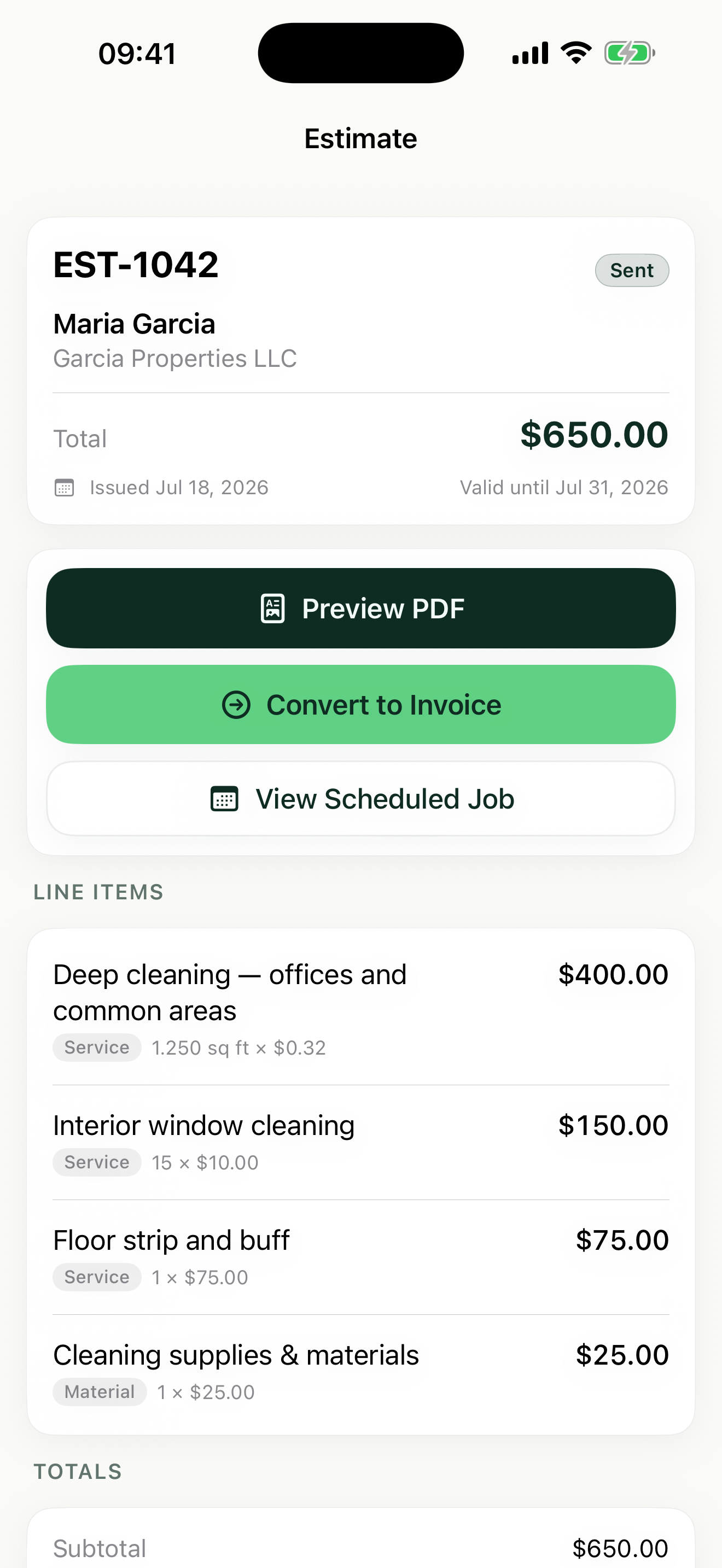
Save your call-out and diagnostic fees as reusable line items in Revenuor — then every estimate, scheduled visit, and invoice includes them automatically, from your iPhone or iPad.
- Save call-out and diagnostic fees
- Add travel or diagnostic details
- Professional estimate PDFs
- Schedule the visit
- Create the invoice
- Follow up on unpaid work
Frequently asked questions
Is the service call fee calculator free?
Yes. The calculator is completely free, with no sign-up and no limit on how often you use it.
Is my data stored?
No. Everything you enter stays in your browser. Nothing is sent to or stored on our servers, and the numbers are gone when you leave the page.
What should a service call fee cover?
Everything the visit consumes before any repair happens: round-trip travel time, vehicle cost, on-site diagnostic time, dispatch and admin time, a share of overhead, card fees — plus profit. A fee that only covers fuel is a donation.
What is the difference between a call-out fee and diagnostic fee?
A call-out or trip fee pays for travel, time, and availability; a diagnostic fee pays for inspection and professional judgment once on site. Many businesses combine them into one visit fee — the math in this calculator covers either framing.
Should travel time be charged?
It must be covered somewhere — the technician is paid for it either way. Whether it appears as a visible trip fee, inside the call-out fee, or baked into job rates is a policy choice; leaving it uncovered is the only wrong answer.
How do I include mileage and vehicle costs?
Either round-trip distance times your own cost per mile or kilometer (fuel, maintenance, depreciation), or the actual trip cost in fuel and wear. Use one method, not both — the calculator enforces that.
Should the service fee be credited toward approved work?
Crediting is a popular close: the customer pays for the visit, then gets some or all of it back against the repair. It softens the fee without making the visit free — just remember the credit comes out of the job's margin, so price the work accordingly.
Should I waive the fee for larger jobs?
Waiving above a job minimum can win work, but a waived fee is revenue you gave up — it must be recovered in the approved work's price. The calculator shows both sides so the choice is deliberate, not automatic.
How should I set a minimum service fee?
Total what showing up costs — travel, time, vehicle, overhead share — add baseline profit, and never go below it. Enter the minimum and the calculator holds the fee at that floor, telling you when the minimum is controlling the result.
How do payment-processing fees affect the call fee?
Card fees take a percentage of whatever you charge, so they belong in the pricing math, not as an afterthought. The calculator solves fee = cost ÷ (1 − processing% − margin%) so your target margin survives the card fee.
Should I charge more after hours?
Evening, weekend, and emergency calls displace personal time and often disrupt scheduled work — an editable after-hours surcharge is common. There's no universal number; the after-hours preset shows the structure with your own amount.
Should sales tax be added?
Service call fees are taxable in some places and not in others. The calculator shows the pre-tax fee, tax, and customer total separately — check your local rules with a tax professional.
Can I save the fee in Revenuor?
Yes. Save the call-out or diagnostic fee as a reusable flat-rate line item in the Revenuor app for iPhone and iPad, and drop it into every estimate and invoice in one tap.
Can I use this for plumbing, electrical, HVAC, or handyman work?
Yes — the structure is the same across service-call trades: travel, diagnostic time, vehicle, overhead, and policy. The presets cover the common setups; swap in your own numbers.